How to Save Wedding and Family Videos from Facebook in 2026
The wedding, the first birthday, your grandmother’s eightieth — a cousin films all of it and puts it up on Facebook, you write “send me the photos” in the comments, and that is where the matter ends.
Nobody sends anything. Six months later the post is gone, or the account is, and the footage of your own family is simply not anywhere. What makes this different from saving a clip you liked is that none of it can be filmed again, and it is rarely one video: it is a video and then forty photographs from the same afternoon.
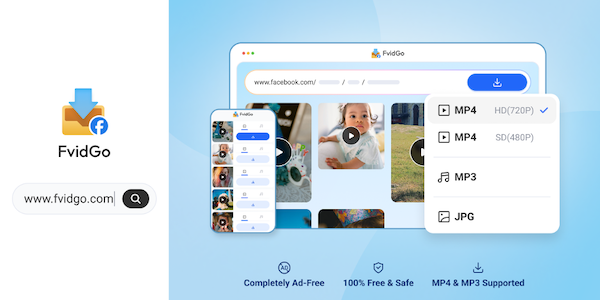
FvidGo handles both halves of that, which is the part most tools get wrong — they treat the video as the content and the album as somebody else’s problem. A Facebook video download and the album that came with it run from the same page, so a family post is one job rather than two. Here is what to do with a family post, and what the three alternatives further down are actually good for.
FvidGo
Start with the photographs, because there are usually more of them than there is video. A wedding post is a whole album — thirty, fifty images from the day — and the album downloads as a set rather than one long-press at a time, which is the difference between doing it and meaning to do it.
More importantly, what arrives is the original file at full resolution rather than the compressed copy a long-press gives you. That distinction is invisible on a phone screen and decisive the day somebody wants a print for a frame: a thumbnail cannot be printed, and nobody discovers this until the moment they try.
Family footage also tends to live in awkward places. Almost none of it is posted on a public page — it is in the group an aunt set up for the family, or sitting on one person’s own timeline, or in a Watch upload from whoever was recording. Groups, personal profiles and Watch are all inside the coverage, so it is the same procedure wherever the video happens to be sitting.
A cousin who cuts the day down to thirty seconds and posts it as a Reel is the same job again, since a Facebook Reels download works from the identical page. The condition is straightforward and worth being clear about: you have to be able to see the content yourself. This copies what is already in front of you; it does not open anything that is closed to you.
For quality, this is the one category where you take the top rung without thinking about it. The ladder runs 1080p, HD, SD and 360p, and the correct choice for a wedding is the first one. Saving twenty megabytes on your niece’s first steps is a trade nobody has ever been glad they made — and unlike the clips you save off a feed, there is no version of this where you watch it once and delete it.
These files are meant to still be around when the child in them is grown, and to be watchable on whatever screen exists by then, which will not be a five-inch one. The lower rungs are there for a real reason, but that reason is somebody else’s holiday video, not this. A Facebook story download is the urgent version of the same point: that material takes itself down after a day, so there is no later in which to go back for a better copy.
The last piece is that no sign-in happens anywhere in this. A family album is a room full of faces, most of them belonging to people who did not choose to be on the internet at all — grandparents, small children, whoever was sitting at the next table.
Handing over a Facebook login in order to save pictures of them is a strange price to pay for something that is already visible to you, and it is a price you are being asked for surprisingly often. Nothing here asks for an account, which for this kind of material is less a convenience than a condition. The whole sequence: open the post, copy its link, paste it at fvidgo.com, pick 1080p for the video or the album for the photographs, and download.
Snaptube
An Android app reaching over a hundred platforms with a built-in player, 144p to 4K, distributed through its own site and the app markets of seven phone brands. Output covers MP4, MP3 and M4A, and saved files play inside the app itself.
The reason it belongs in this particular list is the ending of the story rather than the beginning: family videos usually get saved so they can be shown to somebody, and that somebody is often an elderly relative holding your phone. Being able to play what you just saved without leaving the app removes the step where you explain what a file manager is. The constraint is that it is Android only, so if the family’s phones are iPhones this solves nothing for them.
Video Downloader for Facebook (InShot)
An Android app that will take the video and the images out of the same post, with no login step and nothing to configure, at up to 1080p. The free version carries a good deal of advertising.
Handling both media types in one pass is genuinely useful here, since a family post is very often a short video plus a dozen stills and nobody wants to do that as two separate jobs. Where it stops being pleasant is volume: work through fifteen posts from one weekend and the ad breaks start to outnumber the downloads. Fine for a post or two on a quiet evening, genuinely wearing across an afternoon of them — and that wearing-down is why people abandon a wedding album halfway.
SnapVid.net
A browser tool that states plainly which systems it works on — PC, Android and iPhone browsers alike — covering public Facebook videos and Reels with MP3 conversion, and claiming 1080p. Stories, private videos and photos are all outside what it does. Its monthly traffic has fallen noticeably.
That explicit cross-platform note is worth more than it sounds when the job is to tell four relatives how to do this themselves, half of them on iPhones — one page you can point everybody at beats explaining two methods. But read the exclusions again: no photos and no private content, and family material lands squarely in both of those. It works as a way of showing someone the idea, not as the tool for the archive.
Three Rules for Anything You Cannot Film Again
Save the original, not the thumbnail. A long-press on a photograph gives you a compressed copy that looks identical today and cannot be printed in five years, and this is the single most common way people lose material they think they have kept.
Take the highest quality on offer for video, every time. This is the one category where storage is the cheap thing — the expensive thing is the afternoon itself, and that is not being filmed twice.
And move it off the phone the same day. A download folder is not a backup; it is one drop, one theft or one factory reset away from nothing. Copy it to a computer, a card or wherever your actual backups live before you close the tab, because “later” is how the only copy ends up being the one that disappears.